
Finding a running armband that fits your phone securely is the difference between a focused, hands-free workout and a frustrating run spent adjusting a slipping strap. With smartphones growing larger and protective cases becoming bulkier, relying on generic size labels is no longer sufficient. A secure fit prevents your device from bouncing, sliding down your arm, or restricting your circulation during high-intensity training.
To choose the right running armband, you must treat your phone and its case as a single unit. By measuring the exact physical dimensions of your setup, understanding how manufacturers define compatibility, and matching the strap material to your local climate, you can find an accessory that stays secure from your first stride to your final stretch.
Step 1: Measure Your Phone and Case Accurately
Before browsing online marketplaces or local sporting goods stores, establish the exact physical footprint of your device. Many runners make the mistake of looking up official phone specifications online, only to find that their everyday protective case adds several millimeters of unexpected bulk. To avoid choosing an armband that is too tight, always measure your phone while it is fully enclosed in its usual case.
Products mentioned in this guide
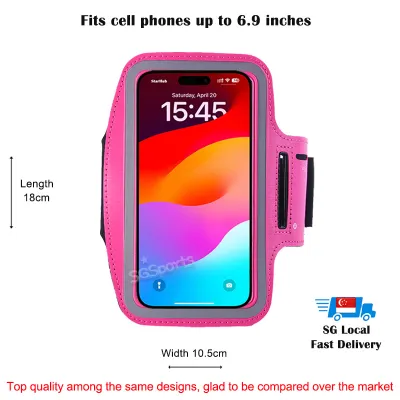
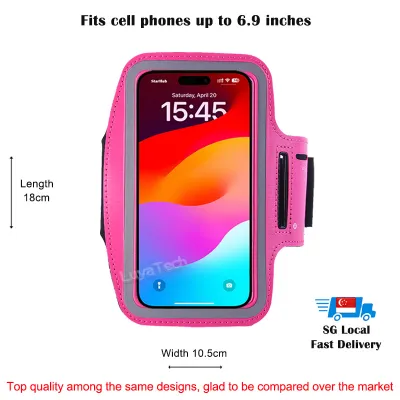
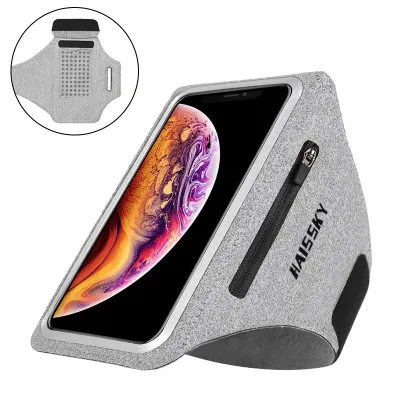
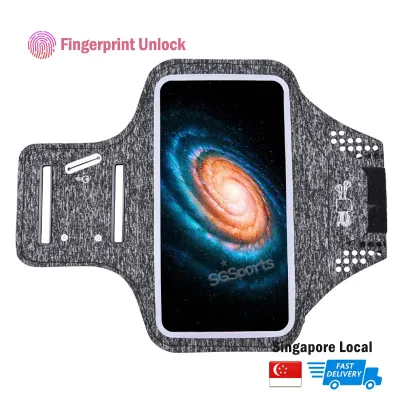
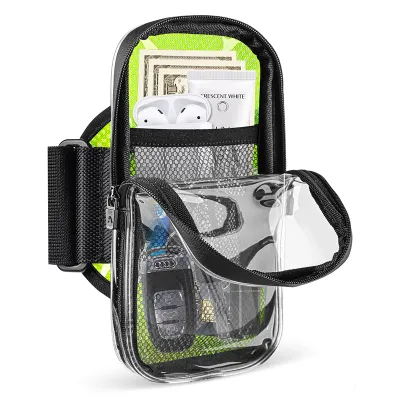
![[SG READY STOCK] Sports iPhone Mobile Phone Armband Gym Running Case Strap Jogging Cycling](https://img.lazcdn.com/g/p/0c2df5e4b640dbf05c2a4d8c73c2df29.jpg_400x400q80.jpg_.webp)
![Spigen Dynamic Shield Running Phone Holder [A703] Phone Case Armband Compatible with iPhone 15 14 13 12 11 Pro Max Samsung S24 S23 Ultra and more / Armband](https://img.lazcdn.com/g/p/9d945bafddd5cb84a83c098058d52de1.jpg_400x400q80.jpg_.webp)
Prices are valid at publication and may change. Please refer to the product page for the latest price.
Use a physical ruler or calipers to measure three critical dimensions: length, width, and thickness. Lay the encased phone flat and measure from the outermost edges, including any reinforced shockproof corners. These corners often protrude significantly on rugged cases, adding extra width that can prevent the phone from sliding smoothly into a fixed-pocket armband.
Next, pay attention to physical protrusions like camera bumps, integrated kickstands, or finger rings on the back of your case. If your case has a textured grip or rubberized bumpers, these materials can create friction against the plastic window of an armband, making insertion and removal difficult.
Record all measurements in millimeters. While some product descriptions use inches, millimeter measurements offer the precision needed to evaluate tight-fitting sleeves. Having these exact numbers on hand allows you to bypass generic compatibility lists and make an informed decision based on physical reality.
Step 2: Decode Armband Sizing and Compatibility Specs
Once you have your phone’s exact dimensions, learn how to interpret manufacturer sizing charts. Armbands generally fall into two design categories: fixed-size pockets and adjustable or open-face mounts. Fixed-size pockets, often made of neoprene or fabric sleeves, offer excellent weather protection but have strict physical limits. Open-face mounts use stretchable silicone bands or mechanical clips to hold the corners of the phone, offering more flexibility for varying device sizes.

When reviewing product specifications, look past marketing claims like ‘fits all major smartphones.’ Instead, locate the technical specifications section to find the stated maximum and minimum internal dimensions. A quality manufacturer will list the maximum length, width, and depth the pocket can accommodate. Compare your recorded measurements against these limits, leaving a buffer of at least two to three millimeters to ensure you do not have to force the phone inside.
Be cautious of sizing charts that categorize compatibility solely by screen diagonal, such as ‘designed for 6.7-inch screens.’ Screen diagonal measurements do not account for the bezel size of the phone or the thickness of your protective case. A slim 6.7-inch phone without a case might fit comfortably, while the same phone in a heavy-duty case will exceed the pocket’s capacity.
If you prefer a compression sleeve style that slides up your arm without straps, sizing becomes even more critical. These sleeves rely on fabric elasticity to hold the phone flat against your arm. If your phone is too large for the sleeve’s pocket, it will stretch the fabric excessively, causing the sleeve to slide down or putting high pressure on your phone’s screen.
Step 3: Verify Screen Access and Port Clearance
An armband should protect your phone while allowing you to interact with it during your run. If you have to slide the phone out of the pouch every time you want to skip a track or check your pace, the armband is not serving its purpose. Evaluate the clear window material on pocket-style armbands to ensure it maintains touch sensitivity.
Look for windows made of thin, high-grade thermoplastic polyurethane (TPU) rather than stiff, cheap plastics. Stiffer plastics tend to wrinkle, creating air gaps that reduce touch responsiveness and increase glare under bright sunlight. In hot, humid conditions, a high-quality TPU window prevents the screen from sticking to the plastic, ensuring consistent touch inputs even when your hands are damp.
Check the alignment of physical cutouts and flexible zones. Modern smartphones feature side buttons for volume control and screen activation, which can be difficult to press if the armband’s fabric is too rigid or lacks designated button indicators. Additionally, if you prefer wired headphones or need to connect a portable charger during long-distance runs, verify that the armband has precise port openings at both the top and bottom to accommodate different phone designs.
Biometric access is another crucial consideration. Under-display fingerprint sensors often struggle to read prints through a plastic window, while facial recognition systems require a clear angle of view. If your phone relies on facial recognition, look for armbands that position the phone at an angle or feature open-face designs that do not obstruct the front-facing camera array.
Step 4: Match the Strap to Your Arm and Running Style
A secure pocket is useless if the strap does not fit your arm comfortably. To find the right strap size, measure your arm circumference at the exact position you plan to wear the armband. Most runners prefer the upper bicep, but some find the forearm more comfortable. Measure your arm while relaxed and again while flexing your muscles to account for expansion during exercise.
Look for straps that offer a wide range of adjustment, typically secured by high-quality hook-and-loop fasteners. In tropical climates where humidity is high, your skin will sweat rapidly, which can cause cheap elastic straps to slip or stretch out of shape. Seek out breathable, moisture-wicking fabrics like perforated neoprene or lightweight Lycra that allow heat to escape and dry quickly. Whether you are investing S$20 or S$60 in a premium band, the material choice directly impacts long-term comfort.
To prevent the armband from sliding down during high-impact workouts, check for non-slip features such as internal silicone grip strips. These textured patterns grip your skin or clothing gently without causing irritation. Avoid straps that are too narrow, as they tend to dig into the muscle, restricting blood flow and causing discomfort over long distances.
Consider how the pouch placement affects your running form. A bulky phone positioned high on the shoulder can interfere with your natural arm swing, leading to muscle fatigue or posture imbalances. Choose a low-profile design that keeps the weight of the phone centered on the flat part of your bicep, minimizing lateral movement and ensuring a balanced stride.
Step 5: Perform a Pre-Run Fit and Function Test
Before heading out for a long run, perform a quick diagnostic test at home to ensure your setup is secure and comfortable. Insert your encased phone into the armband and secure the strap to your arm. Adjust the tension so that the band feels snug but does not pinch your skin or restrict your breathing when you flex your arm.
Simulate your running motion by jogging in place, performing a few jumping jacks, and swinging your arms vigorously. If the armband shifts, slides down toward your elbow, or bounces excessively, the strap is either too loose or the phone is too heavy for that specific strap design. Adjust the positioning and tension until the device remains completely stationary during movement.
While wearing the armband, test your ability to operate the phone. Try unlocking the screen, adjusting the volume, and navigating your running app. If you use wired accessories, plug them in to ensure the cables do not pull or strain against your arm movement. Taking five minutes to verify these functions indoors prevents frustrating adjustments on the road.
Frequently Asked Questions (FAQ)
Can I use a running armband with a thick protective case?
Using a running armband with a thick, rugged case is possible, but it requires careful selection. Heavy-duty cases add significant depth and width, which can exceed the limits of standard pocket-style armbands. If you prefer not to remove your protective case before every run, look for armbands specifically labeled as ‘extra-large’ or opt for open-face silicone strap designs that stretch to accommodate thicker profiles. Alternatively, keeping a slim, basic case specifically for your runs can make it much easier to slide the phone into a standard, lightweight armband.
Will sweat damage my phone inside the armband?
Sweat can easily penetrate basic fabric armbands, potentially exposing your phone to moisture and salt buildup. While many armbands are marketed as sweat-resistant, this usually refers to the strap material rather than a fully waterproof barrier for your device. Check your phone’s official IP (Ingress Protection) rating to understand its water resistance limits. To protect your device, choose an armband with a water-resistant lining behind the phone pocket, and always wipe down both your phone and the inside of the pouch with a damp cloth after your run to prevent corrosive salt residue from accumulating.
Community discussion
Share your experience or ask a question. Comments are reviewed before publication.