
Choosing the right Garmin mount for your rides along the Park Connector Network (PCN) depends heavily on your bicycle type, riding posture, and how you prefer to view your data while navigating shared paths. Out-front mounts generally suit riders who want an unobstructed view of their screen and need to free up handlebar space for safety accessories like lights and bells. Conversely, stem mounts are ideal for cyclists prioritizing a compact setup, a lower price point, or those riding folding bikes and upright commuter models where looking down slightly does not compromise safety. By understanding how these two mounting positions interact with your specific setup, you can ensure a safer, more comfortable journey across the island’s scenic pathways.
How Mount Placement Changes Your PCN Riding Experience
The Park Connector Network features a unique mix of leisure cyclists, runners, and pedestrians. Navigating these shared pathways safely requires constant situational awareness, which is directly influenced by where you position your bicycle computer. When you mount your Garmin device, its physical location dictates your head angle and how long your eyes must drift away from the path ahead.
On a leisurely PCN ride, many cyclists prefer an upright posture, typical of hybrid, city, or folding bikes. If you use a stem mount, your computer sits directly above the steering column, requiring you to tilt your head downward to read the screen. Over longer distances, this repeated downward motion can contribute to neck strain, especially if your stem is short. An out-front mount, by contrast, projects the device forward of the handlebars, placing it closer to your natural line of sight so you can monitor your speed or distance with a quick glance.
Products mentioned in this guide
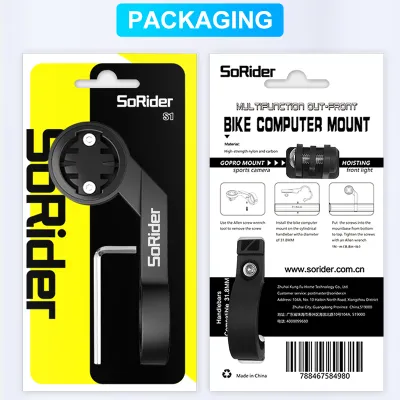
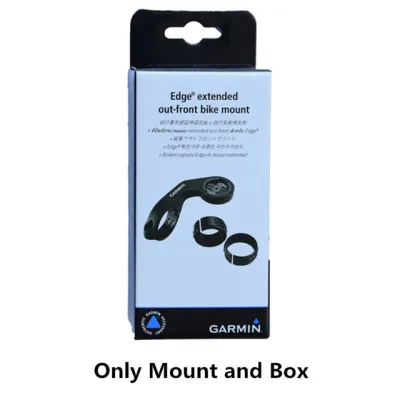
![[SG LOCAL STOCK] Adjustable Angle Cycling Computer Stem Mount For Garmin / Wahoo. Out-Front Computer Mount. Barfly Mount](https://img.lazcdn.com/g/ff/kf/S9814e29273ce4fc3b13811f50aced08cJ.jpg_400x400q80.jpg_.webp)
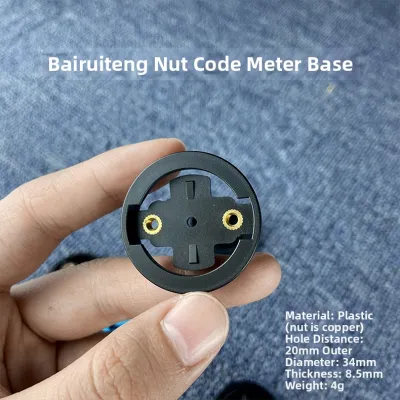
Prices are valid at publication and may change. Please refer to the product page for the latest price.
Handlebar real estate is another critical factor on shared paths. Local regulations and safety best practices require functional warning devices, such as a bell, alongside front lights for evening rides. A crowded handlebar can make it difficult to access these safety tools quickly. An out-front mount moves the computer completely off the handlebar bar itself, leaving ample room for mounting lights, phone holders, or a bell.
Finally, the choice of mount affects how road vibrations are transmitted to your device. The paved surfaces of the PCN are generally smooth, but transitions over wooden bridges, tactile paving, and curb ramps can introduce sudden jolts. A stem mount, being clamped directly to the stiffest part of the cockpit, experiences minimal flex and keeps the screen highly stable. An out-front mount relies on an extension arm; while high-quality materials minimize movement, longer arms can amplify vibrations on rougher surfaces, making the screen slightly harder to read during sudden bumps.
Out-Front Garmin Mounts: When They Make Sense
Out-front mounts are the preferred choice for riders who prioritize quick readability and clean cockpit aesthetics. By positioning the Garmin computer forward of the handlebar clamp, these mounts align the screen with the front hub or slightly beyond it. This positioning is particularly advantageous for fitness enthusiasts and road cyclists who maintain a slightly leaned-forward riding posture.

The primary benefit of an out-front setup is improved visibility, which can support safer riding. When riding at moderate speeds on shared paths, a split-second distraction can lead to a collision. Because an out-front mount keeps the screen in your peripheral vision, you do not need to bow your head to check your stats. This allows you to keep your eyes focused on the path ahead, making it much easier to spot sudden obstacles, children, or pets.
Additionally, out-front mounts excel at optimizing cockpit clearance. Many models feature dual-compatibility designs, allowing you to mount a front light directly underneath the computer using a secondary adapter. This stacked configuration keeps your handlebars clean, ensuring that your front light is centered for optimal beam distribution while leaving the handlebar tubes free for hand placement or other accessories.
However, out-front mounts do come with specific trade-offs. The extended arm acts as a lever, which can increase the stress on your handlebar clamping area if not installed to the correct torque specifications. In the event of a crash or if your bike tips over while parked at a PCN pit stop, the exposed position of an out-front mount makes the computer more vulnerable to direct impacts. Furthermore, you must ensure your bike has sufficient cable clearance; tightly routed brake or gear cables can press against the extension arm, potentially affecting shifting performance.
Stem Garmin Mounts: When They Are the Better Choice
Stem mounts offer a highly integrated, minimalist solution by securing the Garmin computer directly over the bicycle’s stem. This is typically achieved using heavy-duty O-rings wrapped around the stem body or by utilizing a specialized mount that integrates directly into the stem faceplate bolts. For casual riders and those with specific bicycle designs, this classic placement offers several distinct advantages.
The most significant benefit of a stem mount is its compact profile and inherent protection. Because the device sits flush against or directly above the stem, it is shielded from frontal impacts and is highly unlikely to strike the ground if the bicycle falls over. This tucked-in position is incredibly beneficial for folding bikes, which are highly popular for PCN commuting. An out-front mount can easily get bent, scratched, or prevent the bike from folding compactly, whereas a stem-mounted device stays safely out of the way of folding hinges and frame latches.
Installation is also remarkably straightforward. Standard O-ring stem mounts require no tools and can be transferred between bicycles in seconds, making them a highly cost-effective option. Even faceplate-integrated stem mounts, which replace two of your stem bolts, offer a clean look without requiring any extra horizontal space on your handlebars.
Despite these benefits, stem mounts present clear limitations for certain riding styles. If your stem is short or angled downward, the viewing angle can be awkward, forcing you to look almost straight down between your knees to read the screen. This position can be disorienting at higher speeds. Furthermore, if you prefer to use a top-tube bag or a handlebar bag for carrying snacks, keys, or a spare inner tube, these bags can easily block your view of a stem-mounted computer or prevent you from twisting the device into its quarter-turn socket.
Head-to-Head Comparison for Park Connector Network Riders
To help you decide which mounting style fits your daily riding routine on the PCN, it is helpful to compare their performance across key practical categories. The table below outlines how each mount type behaves under typical riding conditions.
| Comparison Dimension | Out-Front Garmin Mount | Stem Garmin Mount |
|---|---|---|
| Sightline Ergonomics | Excellent; keeps eyes forward and close to the path ahead | Fair; requires tilting the head down, especially on low stems |
| Handlebar Space | Frees up space; allows stacked accessory mounting underneath | Conserves handlebar space but occupies the central stem area |
| Installation Complexity | Moderate; requires handlebar clamp space and correct torque | Easy; often uses simple bands or integrated faceplate bolts |
| Crash Vulnerability | High; exposed in front of the handlebars | Low; protected by the handlebars and stem body |
| Accessory Compatibility | High; often supports under-mount lights or cameras | Low; can interfere with handlebar bags or top-tube bags |
Your optimal choice depends heavily on your bicycle’s geometry and your typical riding speed. If you ride a flat-bar hybrid or a road bike at a steady fitness pace, the ergonomic benefits of an out-front mount make it the safer option for high-traffic shared paths. If you ride a folding bike or a classic city cruiser at a relaxed pace, the protection and simplicity of a stem mount often outweigh the need for forward-facing ergonomics.
Decision Framework: Choose the Right Garmin Mount for Your Bike
To finalize your choice, consider how your riding posture, bicycle type, and accessory needs align with the following guidelines.
Choose an out-front mount if:
- You maintain a slightly leaned-forward riding posture where looking down at the stem requires significant neck movement.
- You regularly ride during the evening and need to mount a powerful front light directly centered on your handlebars without cluttering your cockpit.
- You prioritize keeping your eyes on the shared path to navigate around pedestrians, pets, and other cyclists safely.
- Your bicycle has standard round handlebars with sufficient clamping space on either side of the stem.
Choose a stem mount if:
- You ride a folding bike and need a mount that will not interfere with the folding mechanism, frame latches, or control cables when collapsed.
- You prefer a highly upright riding posture where the stem is already close to your natural field of vision.
- You use a large handlebar bag or basket that would physically block or collide with an out-front extension arm.
- You want a lightweight, minimalist, and budget-friendly mounting solution that can be installed or removed without tools.
Verify first if:
- Your bicycle features integrated handlebars and stem (one-piece cockpits), which typically require proprietary out-front mounts that bolt directly to the underside of the handlebar unit.
- Your handlebars have an oval, aerodynamic, or non-standard profile that prevents standard round clamps from securing tightly.
- Your brake hoses or gear cables are routed externally in a way that might pinch or rub against an out-front mounting arm.
Compatibility and Safety Checks Before You Buy
Before purchasing any Garmin mount, performing a few quick compatibility and safety checks will prevent installation issues and protect your equipment.
First, measure your handlebar diameter at the clamping area. Most modern road and hybrid handlebars have a central diameter of 31.8 mm, while older or city bikes may use 25.4 mm or 26.0 mm bars. Ensure the out-front mount you select includes the correct shims or is designed specifically for your handlebar’s exact measurement. Clamping a mount onto an incompatible diameter can lead to slippage or cause permanent crimping damage to carbon fiber handlebars.
If you opt for a stem faceplate mount, pay close attention to bolt length and thread pitch. These mounts require replacing your existing stem faceplate bolts with longer ones supplied by the mount manufacturer. You must verify that the replacement bolts match the thread pitch of your stem exactly and provide sufficient thread engagement—typically at least five to six full turns—to maintain the safe clamping force required to hold your handlebars secure. Always use a torque wrench to tighten these bolts to the stem manufacturer’s specified torque limit, which is usually printed directly on the stem.
Finally, verify the weight capacity of your chosen mount, especially if you plan to use a dual-mount setup with a light or camera attached underneath. Ensure the combined weight of your Garmin computer and accessory does not exceed the manufacturer’s rated limit. Additionally, check that the out-front arm does not interfere with your brake cables or restrict your steering angle, as any binding can compromise your control on tight PCN corners.
Frequently Asked Questions (FAQ)
Do I need a specific mount for my Garmin Edge model?
Most Garmin Edge computers utilize the same universal quarter-turn mounting interface, meaning a standard Garmin-compatible mount will work across different models. However, you should verify the physical size of your device against the mount’s dimensions. Larger computers, such as the Garmin Edge 1030 or 1040 series, require a longer out-front arm to clear the handlebars. If you use a compact mount designed for smaller devices, a larger computer may not have enough clearance to twist into place. Always check the mount’s product specifications to confirm compatibility with your specific Edge model.
Can I use an out-front mount on a folding bike?
While it is physically possible to clamp an out-front mount onto a folding bike’s handlebars, it is generally not recommended unless you verify the folding clearance first. The protruding arm of an out-front mount can easily strike the frame, fork, or wheels when the bike is collapsed, potentially scratching the paint or bending the mount itself. Additionally, the tight cable routing common on folding bikes can press against the mount, causing friction. If you ride a folding bike, a stem mount or a highly compact, adjustable mount is usually the safer choice to preserve folding functionality.

Community discussion
Share your experience or ask a question. Comments are reviewed before publication.