
Choosing a bike computer requires looking past marketing buzzwords to understand how technical specifications translate to your actual experience on the saddle. Whether you are navigating the park connector network in Singapore or embarking on longer road routes, the XOSS G3 offers an entry-level option for GPS tracking. By decoding its core capabilities—from satellite positioning to sensor connectivity—you can determine if this device matches your riding habits or if your training demands a more advanced head unit.
Core Tracking and GPS Performance
A bike computer’s primary job is to record where you ride, how fast you go, and how high you climb. The XOSS G3 utilizes multi-system satellite positioning, which typically includes GPS, GLONASS, Galileo, and BDS (BeiDou). Having access to multiple satellite networks means the device can pull positioning data from various constellations, helping to maintain a stable signal lock when riding through urban canyons, under high-rise residential blocks, or beneath dense tree canopies along nature trails.
When evaluating tracking accuracy, the data sampling rate or recording interval determines how frequently the device logs your position. A standard recording interval captures your coordinates every few seconds; a more frequent rate results in smoother, more precise route lines when you upload your ride to analysis apps, though it may consume more battery. Additionally, riders should verify the official IP (Ingress Protection) rating in the product manual. A rating like IPX7 is crucial for tropical climates, ensuring the unit remains fully functional when caught in sudden, heavy afternoon downpours.
Products mentioned in this guide
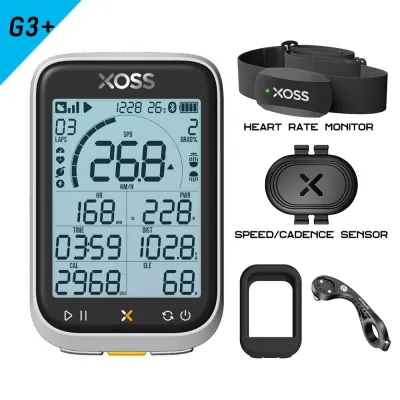
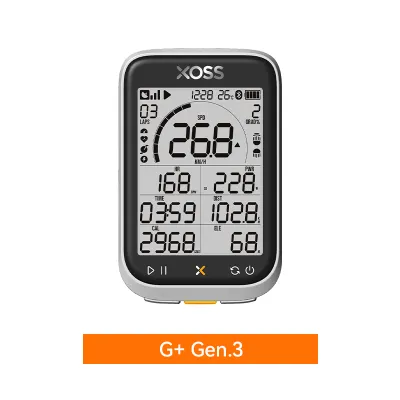
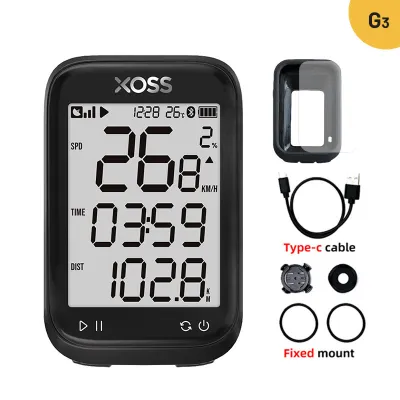
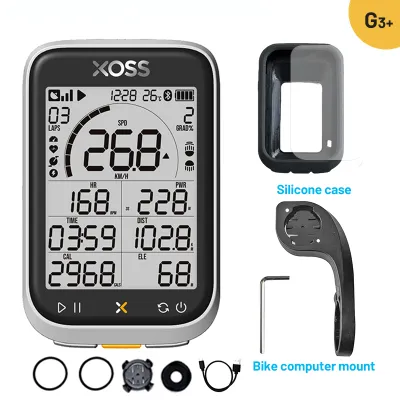
Prices are valid at publication and may change. Please refer to the product page for the latest price.
Display and Visibility in Outdoor Conditions
A bike computer screen must remain legible under changing environmental light without forcing you to take your eyes off the path for too long. The physical screen size and resolution dictate how many data fields—such as speed, distance, elapsed time, and altitude—can be displayed simultaneously. A compact screen keeps the handlebar setup clean but requires careful arrangement of data fields so you can read them at a glance without squinting.

The underlying display technology plays a major role in readability. Standard liquid crystal displays (LCDs) rely on ambient light or backlighting to remain visible. In direct, harsh midday sunlight, high-contrast screens perform best by reflecting natural light, whereas lower-quality screens can suffer from glare. For early morning commutes or evening rides along unlit paths, check the device specifications for an adjustable or automatic backlight that activates based on local sunset times, ensuring you can monitor your progress safely in the dark.
Battery Life and Power Management
Battery endurance determines how often you need to recharge and whether the device can survive your longest weekend rides. While manufacturers state a maximum battery life under optimal conditions, real-world usage typically draws more power. Continuous use of the backlight, active pairing with multiple external sensors, and high-frequency GPS tracking will naturally reduce the actual runtime.
To manage power effectively, look at the charging interface type, such as USB-C or Micro-USB, and the estimated time required for a full charge. A modern interface allows for faster top-ups between consecutive training days. Before purchasing, compare the manufacturer’s claimed battery hours against your typical weekly riding volume, factoring in a safety margin of at least thirty percent to ensure the screen does not go dark during an unexpected detour or a prolonged headwind.
Connectivity and Sensor Compatibility
For cyclists looking to progress beyond basic speed and distance tracking, wireless connectivity is essential. Bike computers generally use ANT+ and Bluetooth protocols to communicate with external sensors. ANT+ is highly reliable for connecting multiple accessories simultaneously, such as heart rate monitors, speed sensors, and cadence sensors, while Bluetooth is commonly used for pairing the head unit directly with your smartphone.
Data synchronization is another critical workflow to verify. The XOSS G3 pairs with a companion smartphone app via Bluetooth to upload your completed rides. From the companion app, you can sync your data to third-party fitness platforms. Before setting up your cockpit, check the manufacturer’s documentation regarding the maximum number of simultaneous sensor connections to prevent pairing conflicts, especially if you use multiple accessories from different brands.
How to Verify if the XOSS G3 Fits Your Riding Style
Deciding on the XOSS G3 depends on matching its technical profile to your specific cycling routine. Casual riders cruising park connectors or commuting short distances will find the basic GPS tracking, speed, and distance metrics more than sufficient. However, if your training involves structured power-meter workouts, complex turn-by-turn navigation, or live tracking for safety, you should verify if these advanced features are supported, as entry-level models often omit them to keep costs down.
Physical installation is the final check before checkout. Review the handlebar mounting options included in the box. While standard stem mounts using rubber bands are common, an out-front bracket provides a more ergonomic viewing angle. Ensure the mounting system is fully compatible with your handlebar diameter and stem design to prevent any slipping or vibration during your rides.
Frequently Asked Questions (FAQ)
Is the XOSS G3 suitable for long-distance touring?
To determine if this device suits multi-day touring, compare its official battery life against your average daily riding hours, keeping in mind that cold weather or constant sensor tracking will drain power faster. You should also check the physical button layout; tactile, raised buttons are easier to operate when wearing padded cycling gloves or navigating bumpy terrain than smooth touch-sensitive surfaces.
Can I connect third-party heart rate and cadence sensors?
Yes, provided the sensors use standard wireless protocols. You should verify the specific ANT+ or Bluetooth profiles supported by your existing sensors and cross-reference them with the XOSS G3 user manual. Ensuring protocol compatibility beforehand guarantees that your heart rate and cadence data will transmit reliably to the head unit without dropouts.

Community discussion
Share your experience or ask a question. Comments are reviewed before publication.